
I Tested the Tesla V100 32GB for Local LLM: Is It Still Viable?
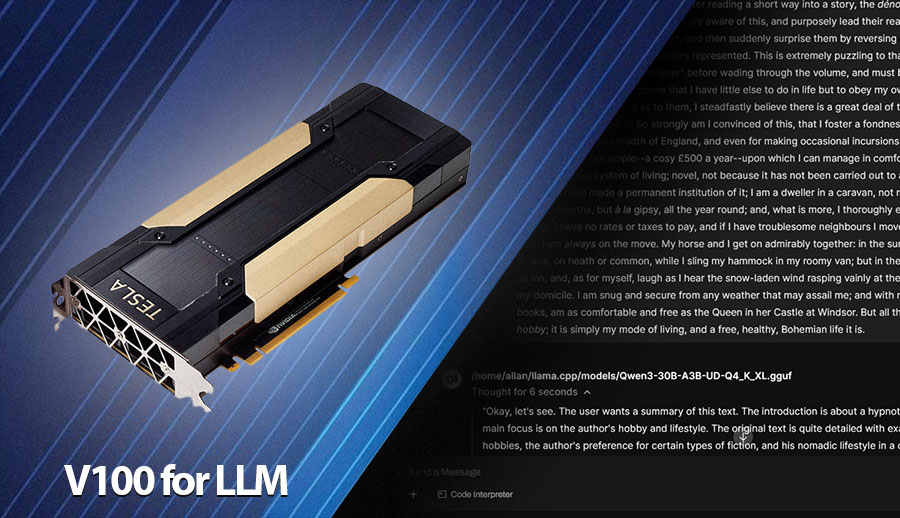
As a tech enthusiast who specializes in hardware for local large language model (LLM) inference, I’m always on the lookout for the best performance-per-dollar.
This often leads me to explore older datacenter hardware. Recently, I got my hands on an Nvidia Tesla V100 with 32GB of VRAM. This card was a powerhouse in its day, but in August 2026, is it still a smart choice for a home lab focused on running quantized LLMs? I put it through its paces to find out.
The main appeal of the V100 is its generous 32GB of HBM2 VRAM and high memory bandwidth, two of the most critical factors for running large language models.
For those of us running quantized models, VRAM is often the biggest bottleneck, and 32GB opens the door to running larger, more capable models or using much longer context windows with smaller models.
My Benchmark Setup
To get a clear picture of its performance, I installed the V100 in my test bench running Ubuntu 24.04 LTS with Nvidia drivers version 580.142 and CUDA 12.8.
For the inference engine, I used the llama.cpp server. I interacted with the models through the Open WebUI front end. All models were tested on text summarization, using Unsloth dynamic quants, specifically the Q4_K_XL quantization.
I focused my testing purely on inference, as this is the primary use case for most home lab builders
Inference Performance Benchmarks
We repeated our tests using newer model versions, the latest NVIDIA drivers, and the latest version of llama.cpp (build: 10404) to provide a more up-to-date picture of the V100’s performance. Here’s how it performed.
Qwen3.6 35B A3B (Mixture-of-Experts)
I started with a Mixture-of-Experts (MoE) model, which can be demanding. The V100 handled it well, and I was particularly impressed by the context size it could manage.
| Context Size | Prompt Processing (t/s) | Token Generation (t/s) |
| 4K | 807.19 | 106.35 |
| 8K | 764.89 | 103.63 |
| 16K | 734.03 | 101.58 |
| 32K | 661.57 | 96.70 |
| 64K | 561.78 | 89.09 |
| 128K | 421.61 | 76.37 |
| 256K | 283.64 | 58.64 |
With the Qwen3 30B model, I was able to load a 70,000-token context, which is quite substantial. At this maximum context, the generation speed was still a usable 12.32 tokens per second. This demonstrates the primary strength of this card: its ability to handle very large contexts thanks to its ample VRAM.
Qwen3.6 27B (Dense Model)
Next, I tested a standard dense model of a similar size to see how the performance compared.
| Context Size | Prompt Processing (t/s) | Token Generation (t/s) |
| 4K | 814.23 | 33.94 |
| 8K | 756.86 | 33.10 |
| 16K | 677.02 | 31.73 |
| 32K | 552.41 | 29.18 |
| 64K | 403.39 | 24.76 |
| 128K | 262.09 | 16.05 |
For the dense 27B model, the VRAM allowed for a maximum context of 128,000 tokens. At that point, the inference speed was just under 11 tokens per second. While the context size is smaller than with the MoE model, 28K is still very respectable and more than what many consumer cards can handle with a model of this size.
Muse Glimmer 30B (Dense Model)
| Context Size | Prompt Processing (t/s) | Token Generation (t/s) |
| 4K | 860.31 | 40.42 |
| 8K | 838.33 | 40.10 |
| 16K | 805.32 | 39.75 |
| 32K | 752.32 | 39.07 |
| 64K | 661.27 | 37.61 |
| 128K | 530.73 | 35.06 |
| 256K | 380.51 | 30.57 |
Nvidia Llama 3.3 Nemotron Super 49B
To push the limits, I loaded the largest model I thought was feasible, the Nemotron Super 49B.
| Context Size | Prompt Processing (t/s) | Token Generation (t/s) |
| 4K | 422.30 | 19.52 |
| 7K | 402.56 | 17.66 |
I was successfully able to run this 49B parameter model, which is a significant achievement for a single GPU setup. With a 7,000-token context, the card produced tokens at a rate of over 17 t/s.
This is a practical speed for interactive use, showing that the V100 can indeed handle larger models that are out of reach for cards with less VRAM.
Competitive Landscape and Pricing
Performance numbers are only part of the story; value is what truly matters. As of August 2026, here is how the Tesla V100 stacks up against some of its main competitors in the new and used markets.
| GPU | VRAM | Bandwidth | Price (August 2026) |
| Tesla V100 32GB | 32GB HBM2 | 900 GB/s | $500 – $600 (Used) |
| RTX 3090 | 24GB GDDR6X | 936 GB/s | $1100 (Used) |
| Dual RTX 5060 Ti | 2x16GB GDDR6 | 576 GB/s | $1600 (New) |
| RTX 4090 | 24GB GDDR6X | 1010 GB/s | $2200 (Used) |
| RTX 5090 | 32GB GDDR7 | 1790 GB/s | $4100 (New) |
| RTX 5000 Ada | 32GB GDDR6 | 576 GB/s | $2900 (Used) |
V100 vs RTX 3090 vs RTX 5090
The raw performance gap is much clearer when we look at both prompt processing and token generation. The RTX 5090 is in a different performance class, while the V100 remains competitive with the RTX 3090 in some smaller-context workloads.
Qwen3.6 27B
| Context | V100 PP | V100 TG | RTX 3090 PP | RTX 3090 TG | RTX 5090 PP | RTX 5090 TG |
| 4K | 814 | 33.94 | 1165 | 32.98 | 3874 | 75.57 |
| 8K | 757 | 33.10 | 1096 | 32.20 | 3721 | 73.32 |
| 16K | 677 | 31.73 | 1011 | 31.60 | 3486 | 72.81 |
| 32K | 552 | 29.18 | 868 | 30.32 | 2941 | 69.45 |
| 64K | 403 | 24.76 | 678 | 28.45 | 1957 | 63.66 |
| 128K | 262 | 16.05 | – | – | 1180 | 54.58 |
On the 27B model, the RTX 3090 is slightly faster than the V100 for generation at larger contexts, while the RTX 5090 is more than twice as fast. The V100’s advantage is that its 32GB of VRAM allows it to reach 128K context, where the 24GB RTX 3090 cannot.
Qwen3.6 35B.A3B MoE
| Context | V100 PP | V100 TG | RTX 3090 PP | RTX 3090 TG | RTX 5090 PP | RTX 5090 TG |
| 4K | 807 | 106.35 | 2994 | 146.09 | 9130 | 262.46 |
| 8K | 765 | 103.63 | 2874 | 144.00 | 8725 | 241.83 |
| 16K | 734 | 101.58 | 2698 | 139.40 | 8298 | 248.72 |
| 32K | 662 | 96.70 | 2387 | 130.86 | 7586 | 236.00 |
| 64K | 562 | 89.09 | 1933 | 116.64 | 6228 | 213.28 |
| 128K | 422 | 76.37 | – | – | 4193 | 179.15 |
| 256K | 284 | 58.64 | – | – | 2496 | 137.16 |
The MoE benchmark shows a much larger advantage for the newer cards. The RTX 3090 is around 37% faster than the V100 at 4K generation, while the RTX 5090 is roughly 2.5x faster, but the V100 can still run very large 256K contexts.
Overall, the RTX 5090 is the clear performance winner, and the RTX 3090 is the better choice if generation speed is the priority. The V100’s reason to exist in a home lab is different: 32GB of VRAM at a low used price, making it useful for models and context sizes that a 24GB RTX 3090 cannot accommodate.
Conclusion: Is It a Good Buy?
So, is the Tesla V100 32GB still a good buy for a local LLM setup in 2026? The answer is a qualified yes, but only if its strengths match your specific workload.
The V100’s biggest advantage remains its 32GB of HBM2 VRAM. In testing, that extra capacity allowed it to run models such as the 49B Nemotron Super and handle context sizes reaching 256K with the Qwen3.6 35B.A3B. For enthusiasts who want to experiment with larger quantized models or very long contexts without spending several thousand dollars on a modern 32GB GPU, that capability is difficult to ignore.
At the same time, the V100 is not a performance champion. The RTX 3090 is generally faster for token generation, while the RTX 5090 is in an entirely different class. The V100 also comes from an older generation, so its long-term software and CUDA support, power consumption, and datacenter-oriented cooling requirements are important considerations for a home lab.
Ultimately, the V100 makes the most sense when VRAM capacity is the priority and you can find a well-priced used card. If you mainly run smaller models and care more about generation speed, a used RTX 3090 is the better all-around choice. But if your goal is to squeeze the largest models and longest contexts possible out of a relatively inexpensive single GPU, the 32GB V100 remains a surprisingly capable and interesting option in 2026.

Allan Witt
<p>Allan Witt is the co-founder and Editor-in-Chief of Hardware-Corner.net. Computers and the web have fascinated him since childhood. In 2011, he began training as an IT specialist at a mid-sized company while launching a tech blog on the side—quickly discovering a passion for writing about hardware and technology.</p> <p>After completing his training, Allan worked as a system administrator for two years. Alongside that, he started building and upgrading custom gaming PCs at a local hardware shop. What began as a part-time project grew into a full-time career. Today, his work also focuses on building and optimizing PC systems for local AI and LLM workloads, combining hands-on experience with a passion for making complex tech easy to understand.</p>2 Comments
Submit a Comment
Related
Desktops
Dell refurbished desktop computers
If you are looking to buy a certified refurbished Dell desktop computer, this article will help you …
Guides
Dell Outlet and Dell Refurbished Guide
For cheap refurbished desktops, laptops, and workstations made by Dell, you have the option to use …
Guides
Refurbished, Renewed, Off Lease
When you are looking for refurbished computer, you often see – certified, renewed, and off-lease placed in …
Laptops
Excelent Refurbished ZenBook Laptops
If you are looking for a compact ultrabook and a reasonable price, consider a refurbished Asus Zenbook …
Good Article Allan! Thank You
Allen, loved the article.
And the fact that you included some great technical details. Same setup I’m planning, just still waiting on hardware but I’m using the more DIY 2x Tesla V100 16GB SXM2 versions with PCIE Adapters. However, I have planned a series of tests across vLLM, llama.cpp, SGLang and various configurations, etc. I too was considering using the same Unsloth Dynamic Quant, but was going to test a few different formats (GGUF, GPTQ, ONNX, AWQ, etc.). But with the advancements of TurboQuant, DFlash, DeekSeek V4 research, Speculative Decoding, etc. I think you can quadruple your throughput and even potentially increase the context window to the full 262K. Also, vLLM with some recent advancements (experimental TurboQuant and DFlash support) may offer much faster total throughput as well.
If you have a way to subscribe to your content, I’d be happy to.
Thanks!
P.S.
Take a look at a very cool video by a friend of mine on YouTube on the topic:
https://www.youtube.com/watch?v=8F_5pdcD3HY