
I Tested Dual RTX 5060 Ti 16GB vs RTX 3090 for Local LLMs – Here’s What Surprised Me
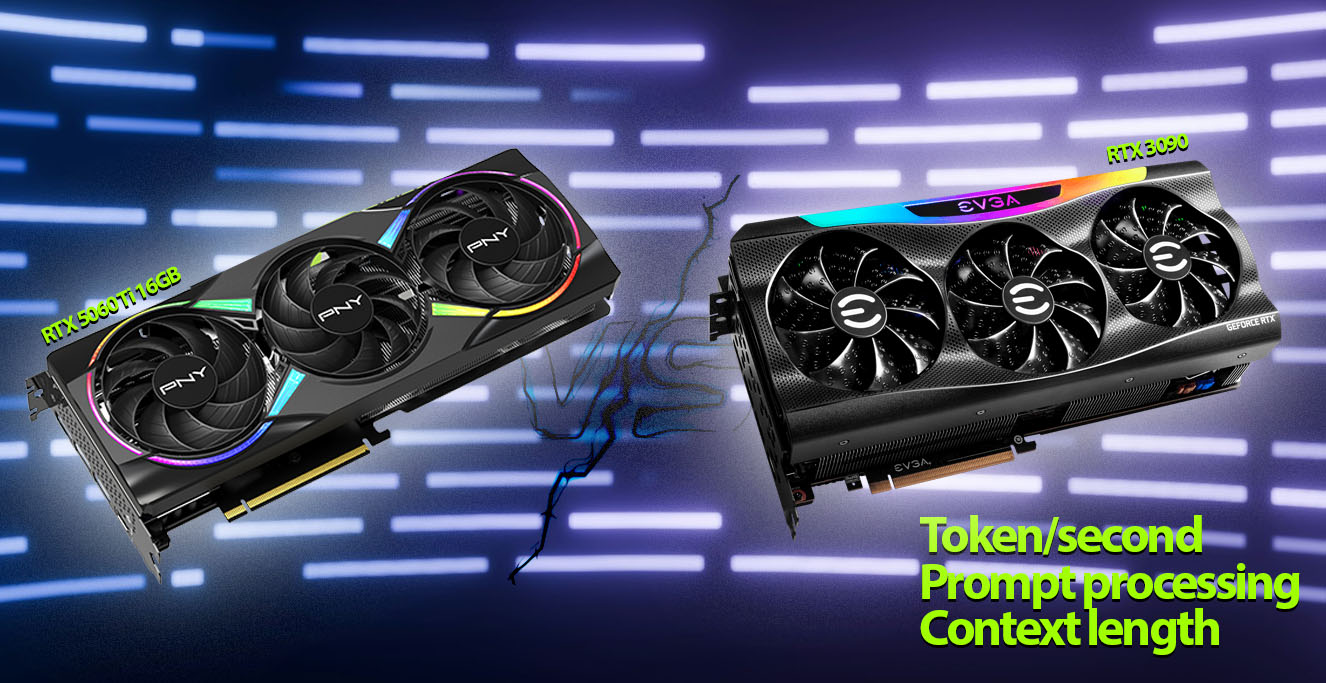
The landscape of local Large Language Model (LLM) inference is constantly evolving, and for us enthusiasts who build and tweak our own rigs, the hunt for the perfect balance of VRAM, performance, and price is a perpetual quest. With the (hypothetical, as of my testing timeframe) arrival of cards like the NVIDIA RTX 5060 Ti 16GB, new possibilities emerge.
I’ve been particularly intrigued by the prospect of a dual RTX 5060 Ti 16GB setup. How does it stack up against a stalwart of the used market, the mighty RTX 3090, especially when we’re pinching pennies but still demand serious VRAM? I decided to put them to the test, and here’s what I’ve uncovered.
TL;DR: Which GPU Wins for Local LLMs?
- Best for Long Contexts & VRAM: Dual RTX 5060 Ti 16GB (32GB VRAM)
- Best for Raw Speed/Dense Models: RTX 3090 (higher bandwidth)
- Budget Winner Under $1K: Tie – depends on workload type
- Best for MoE LLMs (e.g. Qwen3 30B): Dual 5060 Ti
- Best for Dense LLMs (e.g. Qwen3 32B): RTX 3090
Specs and Price Showdown (November 2025)
Updated for August 2025: Since our August update, prices are similar and relative value remains consistent. A used RTX 3090, with its ample 24GB of VRAM, now sells for around $800. Meanwhile, a pair of new RTX 5060 Ti 16GB cards – each featuring GDDR7 memory, 4608 CUDA cores, 448 GB/s bandwidth, and a 180W TDP over a PCIe 5.0 x8 interface – will cost a combined $860 at the lowest (check current price #ad). That keeps the price gap between the two configurations minimal, while still offering compelling VRAM capacity and performance options for local LLM inference under $900
Let’s break down the key specifications side-by-side:
| Feature | Dual RTX 5060 Ti 16GB | Single RTX 3090 (Used) |
|---|---|---|
| GPU Configuration | 2x NVIDIA RTX 5060 Ti | 1x NVIDIA RTX 3090 |
| Total VRAM | 32GB (16GB per card) GDDR7 | 24GB GDDR6X |
| Memory Bandwidth | 448 GB/s | 936 GB/s |
| CUDA Cores (Total) | 4608 | 10496 |
| TDP (Total for GPUs) | ~360W (180W per card) | ~350W |
| Interface | PCIe 5.0 x8 | PCIe 4.0 x16 |
| Est. Cost (June 2025) | ~$950 (New) | ~$850 – $900 (Used) |
The immediate takeaway is the VRAM advantage for the dual 5060 Ti setup – a full 32GB. However, the RTX 3090 counters with more than double the memory bandwidth on a single card. This sets the stage for an interesting performance trade-off.
Benchmarking Rig and Methodology
To get to the bottom of this, I ran a series of tests on a system running Ubuntu 24.04 LTS with Nvidia driver version – 575.57.08. My inference stack consisted of llama.cpp server and OpenWebUI as the front-end. I focused on two Unsloth dynamic quant models, both in 4-bit GGUF quantization:
- Qwen3-30B-A3B-128K-UD-Q4_K_XL: A Mixture-of-Experts (MoE) model, generally more forgiving on VRAM bandwidth for its size.
- Qwen3-32B-UD-Q4_K_XL: A dense model, which typically stresses memory bandwidth more heavily for token generation.
My goal was to measure prompt processing speed (tokens/second) and, more crucially for interactive use, token generation speed (tokens/second) across various context lengths.
Update: This article has been updated with the latest FlashAttention benchmark results for both the Dual RTX 5060 Ti 16GB and RTX 3090 configurations.
Dual RTX 5060 Ti 16GB
The real strength of the dual RTX 5060 Ti setup continues to be VRAM capacity. With 32GB total, it can comfortably handle 30B–32B parameter models with longer context windows than the RTX 3090 can sustain.
With FlashAttention enabled, performance has stepped up significantly — especially during prompt evaluation. Large-context inference is far more stable, and swapping issues are greatly reduced.
During my testing with Qwen3-MoE 30B A3B (Q4_K Medium), the dual-GPU system successfully reached up to 131K tokens of context while still producing responses — something that simply isn’t possible on a single 24GB 3090.
Here’s a snapshot of the performance I observed:
Dual RTX 5060 Ti 16GB Performance (llama.cpp, Ubuntu 24.04 LTS, OpenWebUI)
| Model | Context Size (Tokens) | Prompt Eval (s) | Prompt Eval Speed (t/s) | Token Gen Speed (t/s) |
|---|---|---|---|---|
| Qwen3-MoE 30B A3B | ||||
| ~4,000 | — | 1763.4 | 101.0 | |
| ~16,000 | — | 1741.6 | 64.6 | |
| ~32,000 | — | 1143.4 | 41.9 | |
| ~57,000 | — | 761.9 | 27.8 | |
| ~131,000 | — | 354.8 | 13.4 | |
| Qwen3 32B | ||||
| ~4,000 | — | 544.4 | 18.2 | |
| ~16,000 | — | 390.9 | 14.4 | |
| ~32,000 | — | 254.8 | 11.2 | |
| ~45,000 (max) | — | 114.1 | 9.6 |
The token generation speeds are respectable, especially considering the price point and VRAM on offer. The ability to work with 131K context on a 30B MoE model is a significant win for tasks requiring deep understanding of large documents.
RTX 3090 24GB
Despite being older, the RTX 3090 remains a bandwidth monster with 936 GB/s, and that advantage shows up strongly under FlashAttention. For the same quantization levels, the 3090 continues to provide a major performance edge in token generation — especially for dense models.
In my testing, the RTX 3090 managed a maximum context of around 57K tokens with the Qwen3 30B A3B model, which is substantial, though less than the dual 5060 Ti.
Here’s how the RTX 3090 performed:
RTX 3090 Performance (llama.cpp, Ubuntu 24.04 LTS, OpenWebUI)
| Model | Context Size (Tokens) | Prompt Eval (s) | Prompt Eval Speed (t/s) | Token Gen Speed (t/s) |
|---|---|---|---|---|
| Qwen3-MoE 30B A3B | ||||
| ~4,000 | — | 2988.6 | 153.6 | |
| ~16,000 | — | 1959.0 | 113.8 | |
| ~32,000 | — | 1336.8 | 87.2 | |
| ~57,000 | — | 883.9 | 66.3 | |
| Qwen3 32B | ||||
| ~4,000 | — | 1087.9 | 35.1 | |
| ~16,000 | — | 767.8 | 30.3 |
For dense models like Qwen3-32B, the RTX 3090’s higher memory bandwidth (936 GB/s) leads to up to 114% faster token generation vs dual 5060 Ti cards. This makes the 3090 the better choice for speed-sensitive dense model inference.
Head-to-Head: Analyzing the Performance
The updated FlashAttention benchmarks reveal a clear and consistent pattern between these two setups. The RTX 3090 remains the undisputed winner when it comes to raw token generation speed, especially with dense models like Qwen3 32B where memory bandwidth plays the decisive role. Its 936 GB/s throughput gives it a tangible advantage in pure inference velocity, allowing it to generate tokens up to twice as fast as the dual 5060 Ti configuration under typical 4K–16K context loads.
However, the dual RTX 5060 Ti 16GB setup carves out a different kind of dominance—context capacity. With a combined 32 GB of VRAM and highly efficient multi-GPU memory allocation, it can maintain stable inference with larger sequence lengths, scaling Qwen3-MoE 30B to over 131 K tokens and the dense Qwen3 32B up to 45 K tokens. This makes it ideal for workloads that depend on broad contextual awareness, such as analyzing large documents, multi-turn dialogue chains, or retrieval-augmented generation (RAG) pipelines.
In these scenarios, the additional VRAM simply matters more than raw bandwidth. The 3090 might render each token faster, but it runs out of space long before the dual 5060 Ti setup does. Once context lengths pass the 40 K mark, the performance gap begins to narrow—eventually flipping in favor of the dual cards, which can continue generating output while the 3090 hits its VRAM ceiling.
ExLlamaV3 + TabbyAPI: Speed Boost for Dual 5060 Ti vs RTX 3090
After completing my initial tests with llama.cpp, I later decided to revisit both setups using ExLlamaV3 with TabbyAPI – a leaner, faster alternative that’s known to excel in local inference scenarios. My goal was to see how much more performance could be squeezed out under a more optimized runtime. I used the Qwen3 30B A3B model quantized to 5-bit (approx. 20GB) and focused on two context sizes: ~32K and ~44K tokens. Both the RTX 3090 and the dual RTX 5060 Ti 16GB handled the model comfortably within their VRAM limits, but the speed deltas were telling.
Here’s how the numbers shake out:
| Setup | Context Size | Prefill Speed (t/s) | Token Gen Speed (t/s) |
|---|---|---|---|
| RTX 3090 (24GB, Single) | ~32K | ~1445 | ~51 |
| ~44K | ~1305 | ~47 | |
| Dual RTX 5060 Ti 16GB | ~32K | ~1037 | ~44 |
| ~44K | ~929 | ~38 |
What’s immediately clear is that ExLlamaV3 runs faster across the board compared to llama.cpp, thanks to its lower overhead and smart optimization paths. The RTX 3090 retains its lead in raw throughput—particularly noticeable in prefill and generation speeds—but the dual 5060 Ti setup isn’t trailing by much, especially considering it brings 32GB of VRAM to the table and holds its own with respectable token gen speeds even at 44K context.
In short, if you’re looking to serve large-context LLMs with speed and flexibility, ExLlamaV3 + TabbyAPI narrows the performance gap between these two GPU configurations, showing that the dual-card setup can punch well above its weight when properly optimized.
Practicalities of a Dual 5060 Ti System
Opting for a dual RTX 5060 Ti 16GB setup isn’t just about buying two cards; it requires some system planning. You’ll need a motherboard with at least two PCIe x8 or x16 slots, ideally with good spacing between them to allow for adequate airflow, especially if the cards use open-air coolers rather than blowers.

Power-wise, the combined TDP of around 360W for the GPUs, plus the rest of the system, means an 800W PSU would be a sensible choice to ensure stability and provide comfortable headroom. Case airflow is also paramount to prevent thermal throttling. Software-wise, llama.cpp handles multi-GPU fairly well, but as with any multi-GPU configuration, occasional driver quirks or specific setup steps might be necessary.
Dual RTX 5060 Ti 16GB vs RTX 3090: Which Is Best for Local LLMs in 2025?
So, which setup really makes more sense for local LLM enthusiasts in late 2025? At roughly $880 for the dual RTX 5060 Ti 16GB pair versus about $800 for a used RTX 3090, the price gap has narrowed to a negligible difference — meaning the choice now hinges entirely on your workload profile.
If your focus is on dense models that comfortably fit within 24 GB and you care most about raw token generation speed, the RTX 3090 remains the faster option. Its wider memory bandwidth gives it a clear edge in pure throughput, especially for 32 B dense models under 32 K context. It’s also the simpler, lower-power, single-GPU route that just works.
However, if you routinely process long-context inputs, experiment with Mixture-of-Experts (MoE) architectures, or push models past 30 B parameters, the dual RTX 5060 Ti 16GB setup changes the game. With a combined 32 GB of VRAM, it can handle 131 K-token contexts on MoE models and up to 45 K tokens on 32 B dense configurations — well beyond what the 3090 can sustain. At extended context lengths, its MoE performance holds strong and scales more efficiently.
In short:
| Category | Dual RTX 5060 Ti 16GB (×2) | RTX 3090 |
|---|---|---|
| VRAM | 32GB | 24GB |
| Max Context – MoE 30B | 131K+ tokens | ~57K |
| Max Context – 32B Dense | 45K tokens | Often fails beyond ~24–32K |
| Token Gen Speed – Dense | Much slower | 70–100% faster |
| Token Gen Speed – MoE | Similar at long contexts | Better under <32K |
If your workflows involve long documents, RAG pipelines, or multi-turn reasoning over bigger prompts, the 5060 Ti pair is simply the more forward-looking choice. The 3090 is still a powerhouse for speed, but the dual 5060 Ti build opens the door to larger contexts that a single 3090 can’t reach.
Upgrade Paths and Future Gazing
For those considering an upgrade path, starting with a single RTX 5060 Ti 16GB offers the flexibility to add a second card later, effectively doubling VRAM. This staged approach can be easier on the wallet. If you already own an RTX 3090 and are VRAM-limited, adding a second 3090 (if your system and budget permit) is an option, or you might be looking towards even higher-end (and currently much pricier) cards like the RTX 5090 or future generations.
The used market for RTX 3090s is seeing a downward price trend, which might make them even more attractive if prices fall further, narrowing the value proposition against newer dual-card setups. On the other hand, the RTX 5060 Ti, being a (hypothetically) more recent “current-gen” offering in the 5000-series, might see its price remain relatively stable for a while, especially if demand for its 16GB VRAM variant is high among LLM users.
From my perspective, the dual RTX 5060 Ti 16GB configuration has proven itself to be a surprisingly potent and versatile option for local LLM inference. It’s a testament to how creative hardware combinations can unlock significant capabilities for the budget-conscious, technically savvy enthusiast. The VRAM is plentiful, the performance is solid, and the path it opens for handling ever-larger models and contexts is undeniably exciting.
Updated: June 9, 2025 – Added ExLlamaV3 + TabbyAPI performance results for both RTX 3090 and dual RTX 5060 Ti setups.

Allan Witt
<p>Allan Witt is the co-founder and Editor-in-Chief of Hardware-Corner.net. Computers and the web have fascinated him since childhood. In 2011, he began training as an IT specialist at a mid-sized company while launching a tech blog on the side—quickly discovering a passion for writing about hardware and technology.</p> <p>After completing his training, Allan worked as a system administrator for two years. Alongside that, he started building and upgrading custom gaming PCs at a local hardware shop. What began as a part-time project grew into a full-time career. Today, his work also focuses on building and optimizing PC systems for local AI and LLM workloads, combining hands-on experience with a passion for making complex tech easy to understand.</p>Related
Desktops
Dell refurbished desktop computers
If you are looking to buy a certified refurbished Dell desktop computer, this article will help you …
Guides
Dell Outlet and Dell Refurbished Guide
For cheap refurbished desktops, laptops, and workstations made by Dell, you have the option to use …
Guides
Refurbished, Renewed, Off Lease
When you are looking for refurbished computer, you often see – certified, renewed, and off-lease placed in …
Laptops
Excelent Refurbished ZenBook Laptops
If you are looking for a compact ultrabook and a reasonable price, consider a refurbished Asus Zenbook …
0 Comments