Acer Veriton N4640g vs. Dell Pro 5 Micro P5M1260
Comparison and Differences
Differences between Acer Veriton N4640g and Dell Pro 5 Micro P5M1260
If you are looking for a more modern desktop, then you should go with the Dell Pro 5 Micro P5M1260 which was released in 2026. The Acer Veriton N4640g is older and entered production in 2017.
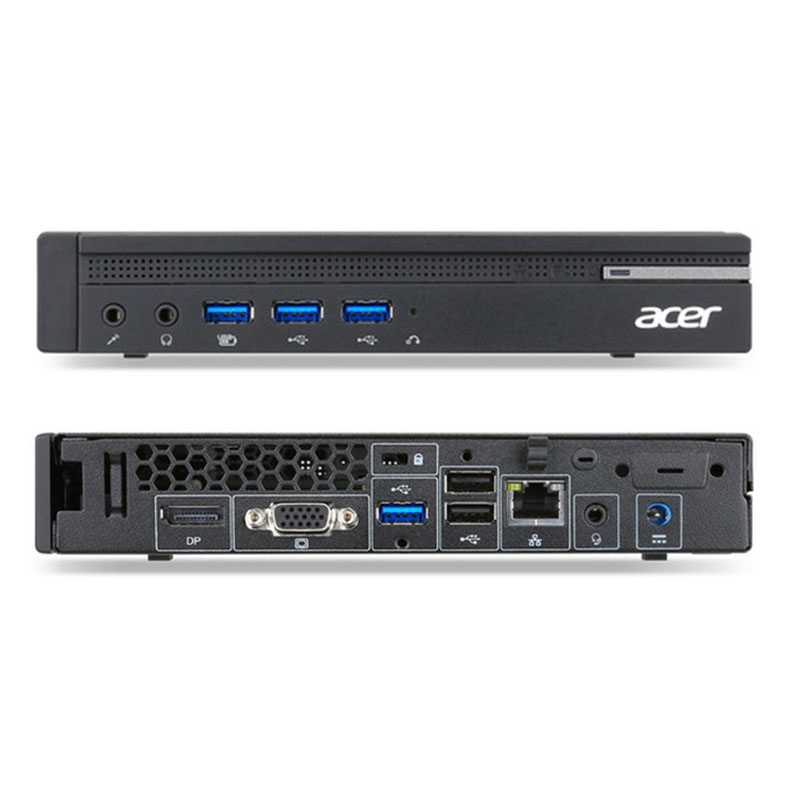
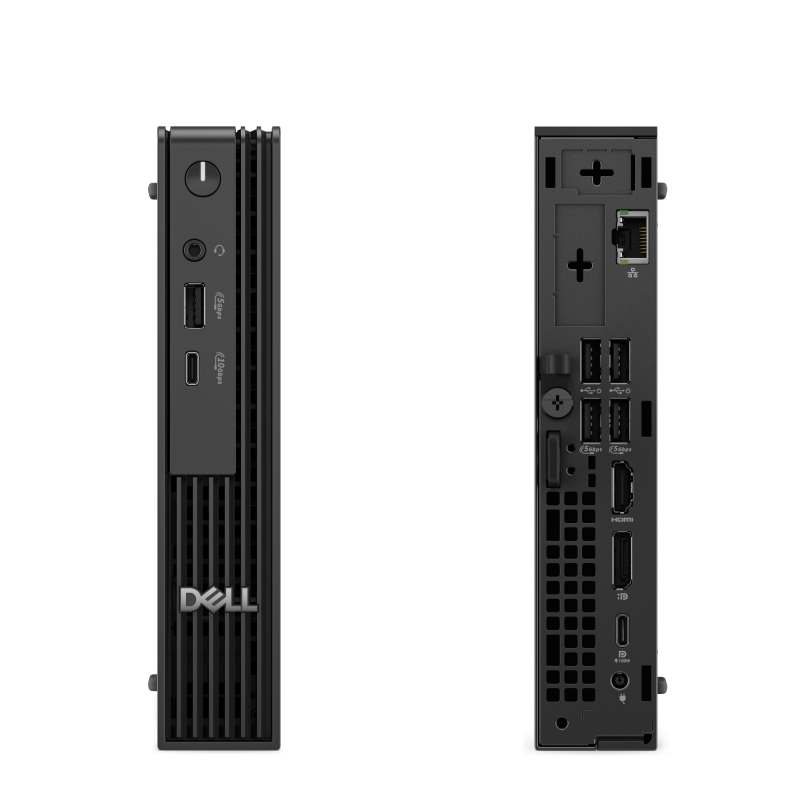
If you are looking for the smaller form factor the Acer Veriton N4640g is the right one for you. It is smaller than the Dell Pro 5 Micro P5M1260 and will fit more easily under your desk.
Processor
Usually the newer the generation of the CPU, the better the performance and efficiency is. If your budget allows it, you should go with the Dell Pro 5 Micro P5M1260 as it is running a newer generation CPU. This is not to say that Acer Veriton N4640g is bad - it can still run some powerful CPUs, albeit being an older generation.
Memory
Both models have have equal amount of ram slots (2 RAM). Usually two RAM slots are more than enough for most cases. However, the count should be taken into account when planning how much and what combination of RAM you are going to need for your system.
The Dell Pro 5 Micro P5M1260 is using the faster 7200 MT/s RAM. The Acer Veriton N4640g is slower by supporting RAM speeds of up to 2400 MT/s. Additionally, if you will be needing a lot of RAM, better go for the Dell Pro 5 Micro P5M1260 as it has the ability to run 64 GB of RAM. The Acer Veriton N4640g can do a bit less at max 32 GB. Most of the times, this should be sufficient for the majority of users.
Ports
In total the Dell Pro 5 Micro P5M1260 has 7 USB ports. The Acer Veriton N4640g is inferior in this regard and packs 6 USB ports. In any case, if you miss USB ports, you can always purchase a USB hub. What is nice about the Dell Pro 5 Micro P5M1260, is that it has 1 USB 3.1 port(s) which allows transfer of up to 10Gb/s. Unfortunately, the Acer Veriton N4640g has no such port, thus restricting your transfer speeds significantly. For people who want to use external drives on regular basis, this might be an issue.
Unfortunately, only the Dell Pro 5 Micro P5M1260 has a DisplayPort. The Acer Veriton N4640g does not have one? Don't worry though, nowadays video adapters are cheap and you can get almost any combination of conversion types.
In case your monitor supports HDMI only, you will be happy to hear that both models come with an HDMI port.
SATA slots are located on the motherboard and it is where SSD, HDD and Optical Disk Drives are connected. Each of the two models being compared have 0 SATA slot(s). Keep in mind that having too few SATA slots might limit your options for connecting additional memory drives.
An M.2 SSD can be several times faster than a SATA one. Thus, we are happy to see that both models support the M.2 interface. However, the Dell Pro 5 Micro P5M1260 has 1 M.2 slots while the Acer Veriton N4640g comes with just 1.
Make sure that the available M.2 slot supports the PCIe (also called NVMe) interface. This is important as there are M.2 slots which support only the inferior SATA III interface. For comparison, the SATA III interface has max speeds of 6Gb/s, while the PCIe 3.0 x4 will support speeds up to 32Gb/s!
Power Supply
Having a Power Supply Unit with high power rating is important, if you are going to use components which require extra power. The Acer Veriton N4640g comes with a decent 90 Watt PSU, but the Dell Pro 5 Micro P5M1260 has a more powerful one rated at 100 Watts. Choosing either one depends on your specific requirements and use case. Also don't forget that some models might have more than one PSU option - try to always get the most powerful one, especially if you plan to upgrade to a powerful GPU.
Motherboard